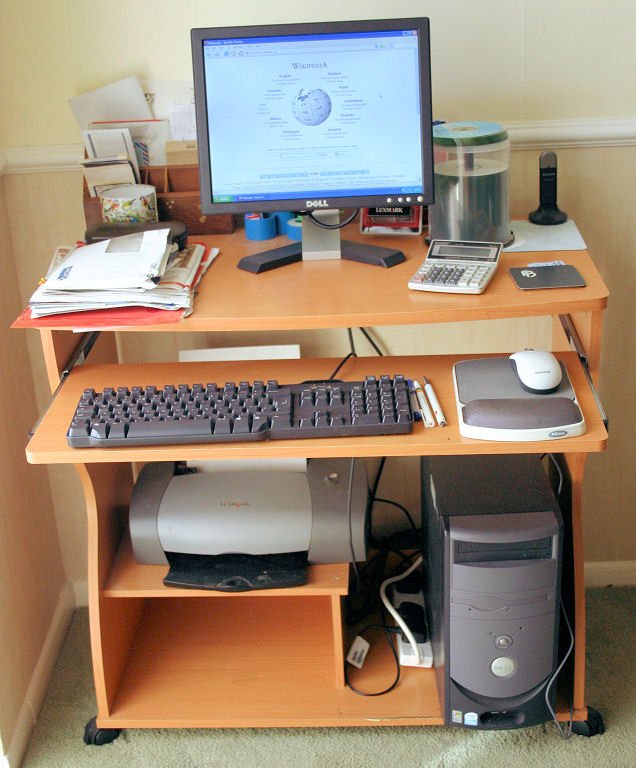
A shallow desk can look like an obvious answer to a small room. Its front edge projects less into the room, and the catalog photograph usually shows an uncluttered laptop. The decision changes when you add a mouse, a reference sheet and the person reading the screen. Depth has to serve a task before it can save space.
Make a surface plan using the equipment you already own. The aim is to identify the shallowest arrangement that supports your normal work, then compare its occupied room footprint with deeper alternatives. Do this before buying organizers that might conceal the original mismatch.
Separate the tasks that actually overlap
Write down three recent work sessions rather than an imagined ideal day. Identify what remained open at the same time: a spreadsheet and notebook, a laptop and handwritten worksheet, or a video call with a separate keyboard. Include the paper you actively annotate, not a stack that could live elsewhere.
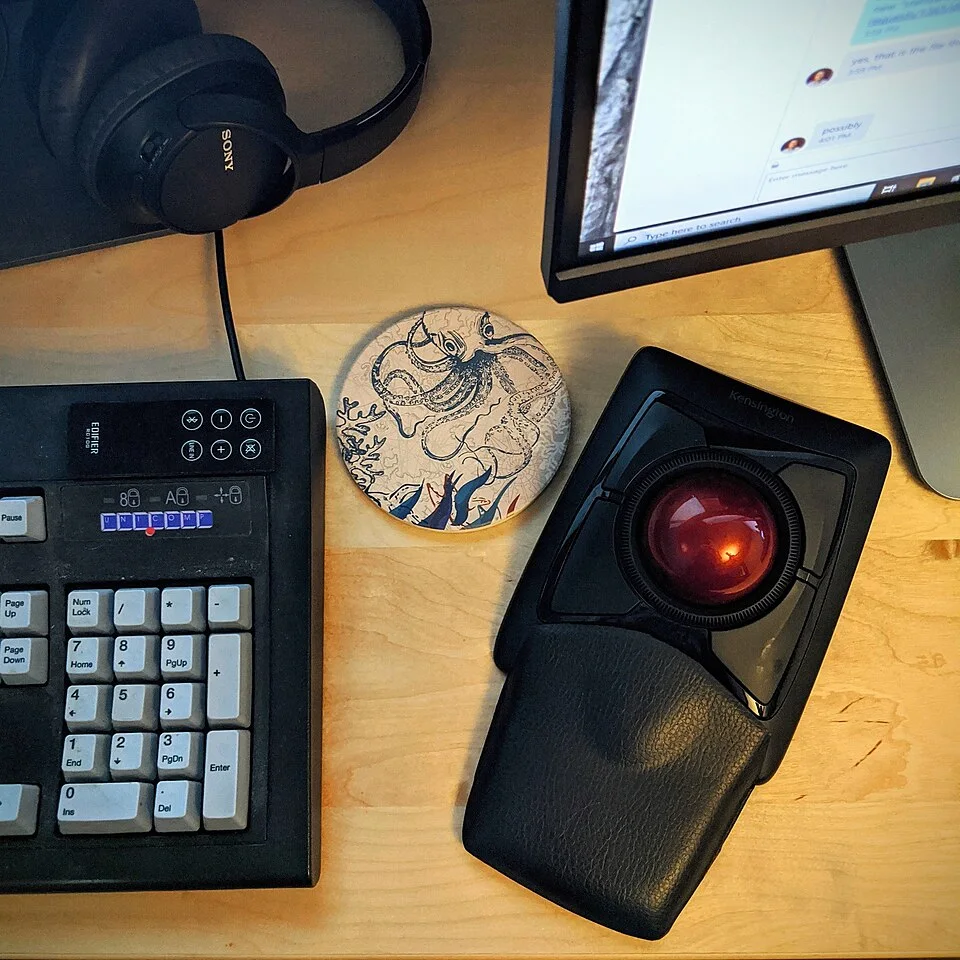
The keyboard, trackball and headphones each occupy part of the usable surface beside the screen. Add the actual papers or notebook used during typing to your own tabletop trial, then note what has to move between tasks. This close view identifies competing objects without establishing desk depth, viewing distance or a suitable posture.
Photo & usage
Steve Rainwater from Irving, US · CC BY-SA 2.0 · Source. Display copies resized and encoded as WebP; no instructional details were fabricated or removed.
Arrange those objects on an existing stable table. Photograph the arrangement from above for your own planning record, and note when one object has to move before another can be used. That repeated movement is evidence of a surface conflict. A paper tray that stores a worksheet neatly does not solve the problem if the sheet must be spread out during typing.
Divide the kit into simultaneous essentials, occasional references and unrelated storage. Only the first group earns permanent working depth. Keep a spare charger or unopened stationery in a separate accessible location. If work requires large plans or frequent document comparison, a narrow console may be unsuitable even when a laptop fits comfortably on its own.
Measure equipment in its working position
Measure the actual monitor base, including feet that project toward you, and the rear space needed by its connectors. A display's diagonal size says little about this footprint. For a laptop, record the base depth with the screen opened to the angle you use; the hinge may project farther than the closed case.
Next position the keyboard and mouse while seated. Do not start by pushing them against the front edge. Leave the position that allows your hands to work without leaning onto a sharp edge or reaching around a notebook. Measure the envelope containing the devices and the ordinary movements of the mouse.
OSHA — Computer Workstations: Desks places frequently used equipment in the primary working zone. Use that principle to question objects that displace your keyboard rather than to assign every household the same dimension. If the pointer keeps falling off its usable area, the setup has failed even though every device technically rests on the desktop.
Establish the screen position before subtracting depth
Sit with the chair adjusted and your back supported, then place the screen where you can read your normal text. Increase application text size if small lettering makes you lean forward. Measure from your eyes to the screen surface, not from the front edge of the desk to the monitor base.
OSHA — Computer Workstations: Monitors describes a generally preferred viewing distance of 20–40 inches and positions the screen directly ahead. Treat that as an adjustment reference, not proof that a particular desk is suitable. Your glasses, display and tasks may require individual changes. The room plan should preserve the position that works without forcing the keyboard away from your hands.
Mark where the monitor stand lands after that adjustment. A stand may occupy space behind the visible screen, so moving the display back is not always possible. If you use a freestanding riser, account for its entire base and stated load conditions. Do not improvise an unstable stack merely to make a shallow surface appear adequate.
Work through one illustrative depth budget
Consider this illustrative arrangement, with all dimensions invented for planning. A candidate desktop is 60 cm deep. The chosen monitor stand and rear connector allowance occupy a rear band of 22 cm. The keyboard and front hand-position band require 25 cm. That leaves 60 − 22 − 25 = 13 cm between the bands.
A reference sheet requiring an uninterrupted 21 cm front-to-back space cannot occupy that 13 cm band. The shortfall is 21 − 13 = 8 cm. A 70 cm desktop would leave 23 cm under the same assumptions, enough for the sheet's measured depth with 2 cm remaining. This is a surface-packing example, not a posture standard.
The deeper desk is not automatically the answer. You could put the reference sheet alongside the keyboard if sufficient width exists, use a suitable freestanding document holder, or change which tasks happen here. Recheck screen distance after every change. Adding 10 cm of furniture depth while ignoring the chair's route could solve the desktop and create a room problem.
Check the underside and occupied room footprint
Look under the candidate surface. A shallow desk with a thick apron or central drawer can offer less usable knee space than its dimensions suggest. Measure from the floor to the lowest obstruction, and inspect the positions of legs and braces. A cabinet advertised as desk storage may consume the space your knees need when you turn.
Use OSHA — Computer Workstations: Good Working Positions as a reference for supported feet, relaxed shoulders and aligned wrists. Set the chair for the person and task, then verify that the desktop and underside accommodate that arrangement. A footrest needs a real footprint too; it cannot share the same space as a bulky storage box.
Draw the chair in the working position and in the position needed to get up. Carry out both movements beside the proposed desk location using existing suitable furniture. If another person must step around the occupied chair to cross the room, consider a different orientation or fewer permanent work items before ordering a deeper model.
Compare three responses to a failed surface plan
When the mock-up feels cramped, identify the precise failure before choosing a response. If the screen can sit correctly but paper has no destination, test a wider surface or a separate document support. If your hands are displaced by the display base, compare a different freestanding stand or monitor arrangement within the equipment's instructions.
If screen distance, paper and hands all compete for the same narrow strip, the depth itself may be insufficient. Buying smaller containers is unlikely to resolve this. Conversely, a deeper desk adds little if the real issue is a keyboard positioned behind decorative objects. Remove the obstruction and repeat the task before spending money.
Record the tradeoff in plain language: what fits, what moves, and which route becomes tighter. Do not compare alternatives using desktop area alone. Two surfaces with equal area can have very different usefulness when one leaves no uninterrupted width beside the keyboard. Keep the configuration that supports your most frequent demanding task, not just the easiest one.
Approve the arrangement after a complete task cycle
Use the proposed layout for a realistic session, including reading, typing, handling paper and standing up. Note each time you shift your chair to compensate for equipment position or clear a pile just to operate the mouse. These observations tell you whether the layout works beyond its still photograph.
Finish by putting the work away and using the room for its next purpose. Check that the chair tucks away without pinching leads, that connectors are accessible and that the desk does not block nearby doors or controls. If you moved the screen during shutdown, verify that restoring it is easy and repeatable.
Keep the final measurements with the candidate product information: overall depth, unobstructed underside, monitor footprint and occupied chair position. Completion means the same arrangement supports the person, the active task and the surrounding room. It does not require every possession to fit on the desk or every spare centimeter to become storage.
THE REFERENCE FILE
Sources & scope
Documentation reviewed 1 Nov 2026. Examples are illustrative; this article does not claim hands-on product testing. Follow the instructions for your actual material, model and location.

.jpg)