
Give the appliance a fair hearing
A glowing clock or standby light can make an older appliance look wasteful. It cannot tell you whether replacing it will save meaningful electricity. Before shopping, answer a smaller question: how much energy does this particular device use while waiting, and how much of that use can you remove without losing a function you need?
Start with an accessible television, audio component or similar plug-in electronic device. This check needs its manual, a notebook, your electricity tariff and a suitable plug-in energy monitor. You can investigate settings without a monitor, but you cannot honestly put a measured saving against them.
Treat standby as one part of ownership. A device that works well but waits inefficiently may need a setting changed. A faulty appliance needs a separate repair assessment. A low standby reading says nothing about how efficiently a washer cleans clothes or a refrigerator cools food.
Choose a candidate you can check safely
Read both the appliance and monitor instructions before connecting anything. The monitor must suit the local voltage, plug type, appliance load and intended use, including powered operation when you later switch the device on. A low expected standby load does not make an unsuitable monitor acceptable.
Keep this exercise to intact equipment at a dry, easily reached wall outlet. Do not move heavy appliances, reach behind built-in units, remove covers, open a socket or use probes or clamp meters. Leave hardwired equipment and major appliances out of this plug-in exercise. The U.S. Fire Administration advises connecting refrigerators, stoves, washers and dryers directly to wall outlets and avoiding overloaded outlets and power strips.
Stop if a cord is damaged, a plug fits loosely, or you notice scorching, buzzing, a burning smell or unusual heat at an outlet. Do not reconnect the suspect equipment for another reading. Arrange qualified electrical help; the Electrical Safety Foundation's safety sheet identifies these warning signs as reasons for an electrician's inspection.
Exclude medical equipment, alarms, security systems, refrigeration and anything providing an essential continuous service from power-cut experiments. If you cannot identify what a plug supplies, choose another candidate.
Name the state before measuring it
Write the model number and what “off” means in your household. Did you press the remote, select shutdown, leave a paused screen, or let an automatic timer act? Record connected accessories and whether network access remains enabled. Measure one device rather than a whole entertainment cluster so you know which equipment produced the result.
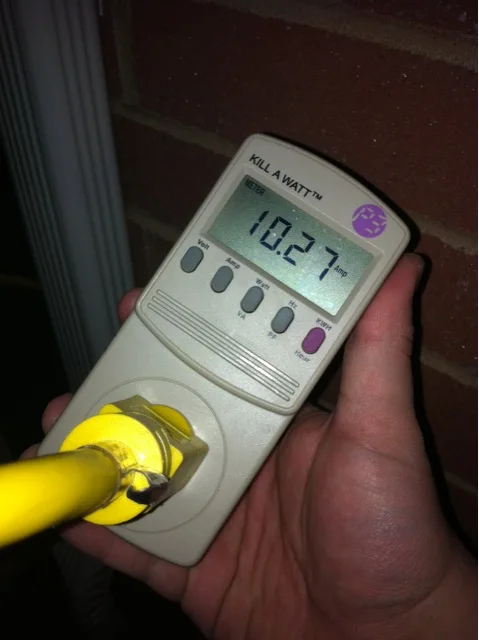
The example plug-in monitor is displaying watts, a power reading. Name the appliance state before recording it. The value visible here is not a measured standby result or a saving you can apply to another appliance.
Photo & usage
Porkrind · CC BY-SA 3.0 · Source. Display copies resized and encoded as WebP; no instructional details were fabricated or removed.
Different waiting states deserve separate entries. ENERGY STAR's television criteria distinguish passive standby from network-capable active standby and specify different limits under defined test procedures. Those laboratory criteria explain why state matters; they are not a pass-or-fail diagnosis for your household meter reading.
- Ready for the remote: the main function is off, but the device can wake normally.
- Waiting for a connection: remote access or another documented network function remains available.
- Still working: a recording, download, charging session or maintenance process continues after the visible activity stops.
Check the manual for shutdown behavior and any required uninterrupted maintenance. Do not assume a dark screen means all work has ended, or interrupt updates to get a cleaner number. If the manual does not explain repeated activity, ask manufacturer support before changing power routines.
Build two comparable records
Efficiency Maine describes plug-in monitoring as placing the monitor in the outlet and the appliance in the monitor. It also documents library loan kits in Maine; elsewhere, ask your utility or library whether borrowing is possible before buying equipment solely for this check.
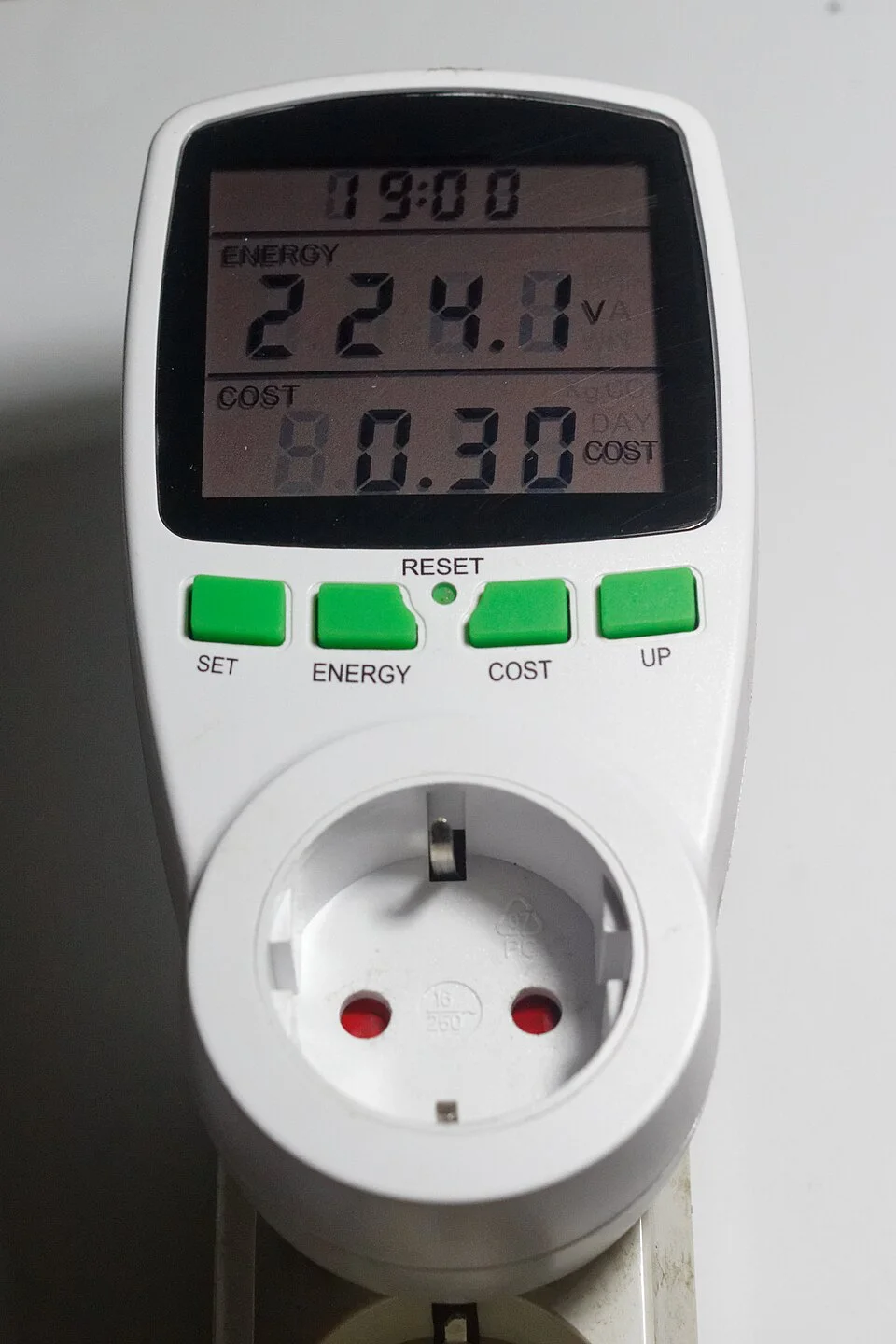
The V indicator belongs to the upper reading; the lower cost field is a separate quantity. Keep each display mode and its unit attached to the recorded number. For a standby comparison, collect the required watts or accumulated kWh and elapsed time through the instrument’s documented modes rather than treating this voltage screen as consumption.
Photo & usage
Retired electrician · CC0 · Source. Display copies resized and encoded as WebP; no instructional details were fabricated or removed.
- Shut the candidate down as its instructions require. With dry hands and safe access, install the compatible monitor according to its instructions, without adapters or extension leads.
- Restore normal operation, then put the device into your usual waiting state. Record the action and time. Allow any documented shutdown work to finish.
- Record watts after the state settles, then note later changes. For an overnight observation, record accumulated kilowatt-hours and the exact elapsed hours. Include only time spent in the state you are investigating.
- Repeat over a comparable interval if the reading varies. Note interruptions, wake-ups or updates instead of silently treating them as steady standby.
- Change one manufacturer-documented energy setting, then repeat the same shutdown and observation routine. Keep connections and the observation duration comparable.
Your notebook needs columns for state, setting, start and finish times, energy used, and functions retained. If the device is used during the interval, label that record mixed use and repeat the standby observation.
Check the monitor's low-power accuracy and display resolution. A display of zero can mean consumption is below what it can resolve. Likewise, an unchanged kilowatt-hour display over a short interval is not proof of no use. Extend the interval within the instructions or mark the result inconclusive; do not invent extra decimal places.
Turn the result into an annual ceiling
Watts describe power at a moment; kilowatt-hours describe energy over time. Virginia Cooperative Extension explains the conversion: multiply watts by operating hours and divide by 1,000, then multiply energy by the electricity rate to estimate cost.
Hypothetical example, not a measured product result: suppose a device averages 8 watts in its original waiting state and 2 watts after a setting change. It waits 20 hours daily, throughout a 365-day year. The difference is 6 watts, giving 6 W × 20 hours/day × 365 days/year ÷ 1,000 = 43.8 kWh/year.
At a hypothetical electricity price of US$0.25 per kWh, that change saves US$10.95 annually. Use your own currency and applicable per-kWh charges. Fixed account charges will not disappear. For time-varying tariffs, allocate the waiting hours to the relevant rates rather than applying one expensive hour's price to the whole year.
Now test the strongest replacement claim. Even a hypothetical replacement using zero standby power could save only the remaining 2 W × 20 hours/day × 365 ÷ 1,000 = 14.6 kWh/year from standby, worth US$3.65 at that example rate. This is an upper bound for standby savings, not a prediction of total replacement savings.
For a variable interval, calculate average watts as recorded kWh × 1,000 ÷ elapsed hours. Annualize only a representative waiting interval. Do not multiply one brief power spike by every hour of the year.
Check what the saving costs in convenience
A setting change succeeds only if the household can live with it. Check the manual for options governing startup speed, network wake or automatic sleep; names and availability vary by model. Record the original value before changing one option. Avoid factory resets, hidden service menus and guesses based on another model's instructions.
After the comparison, wake the device normally. Confirm the remote works, needed connections return and any scheduled function still operates. Ask other household members whether the new behavior is acceptable. If an essential function fails, restore the documented setting and record that the higher consumption buys a service you use.
If considering disconnection between uses, first confirm that the manufacturer permits it and no required background task would be interrupted. For this check, prefer a reversible setting change. A smart plug introduces its own consumption and compatibility requirements; its presence alone does not establish a net saving.
THE WORKING FILE / LEDGER
The USD 300 replacement that cannot repay itself through standby
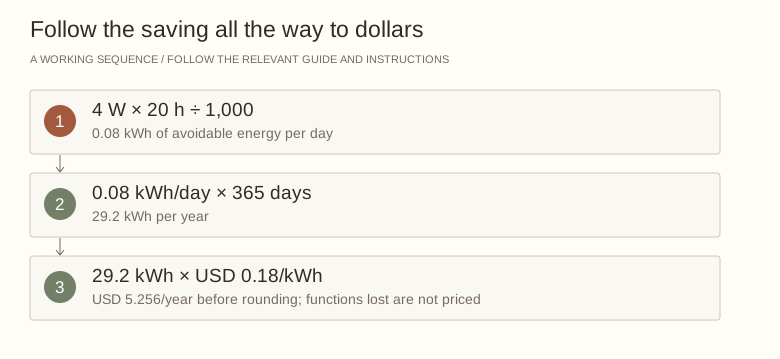
An invented appliance has a measured 4 W difference between two waiting states. Assume the lower-power state can replace 20 hours of waiting each day, every day, at USD 0.18/kWh. This is deliberately an upper-bound comparison: it assumes every proposed hour is achievable and no useful function is lost.
| Calculation | Working | Result |
|---|---|---|
| Daily avoided energy | 4 W × 20 h ÷ 1,000 | 0.08 kWh |
| Annual avoided energy | 0.08 × 365 | 29.2 kWh |
| Annual avoided charge | 29.2 × USD 0.18 | USD 5.26, rounded |
| Simple payback for USD 300 | 300 ÷ 5.256 | About 57 years |
Read the result
This result rules out standby savings alone as a persuasive reason to spend USD 300. It does not rule out replacing an unsafe, unreliable or otherwise unsuitable appliance. A switchable waiting mode may achieve the same energy reduction without a purchase. First verify that the monitor resolves such a small load and that a full-day energy reading supports the assumed difference.
Your ledger record Blank worksheet
Calculate the most standby electricity could save before considering replacement.
- Appliance and model
- ________________________________
- Monitor rating and resolution
- ________________________________
- Waiting state A
- ________________________________
- Waiting state B
- ________________________________
- Difference W
- ________________________________
- Avoidable hours/day
- ________________________________
- USD/kWh
- ________________________________
- Annual ceiling USD
- ________________________________
- Functions lost
- ________________________________
Before closing the file
- The measured state is named.
- The instrument can resolve the difference.
- Essential functions remain available.
Close the investigation with a decision
Finish by shutting down correctly and removing the temporary monitor according to its instructions. Restore the normal connection, confirm normal operation and save your notes with the manual. Keep the successful setting and a reminder of any function it disables.
If standby costs little after adjustment, remove it from the replacement argument. Evaluate actual operating performance and comparable annual energy information separately. If standby remains unexpectedly high, send manufacturer support the model, settings, waiting duration and recorded energy. Ask whether the behavior is expected before paying for repair or replacement.
A useful result is a defensible decision: keep the appliance with a better setting, retain a paid-for convenience knowingly, or investigate unexplained behavior. The point is to replace suspicion with a number you can use.
THE REFERENCE FILE
Sources & scope
Documentation reviewed 1 Nov 2026. Examples are illustrative; this article does not claim hands-on product testing. Follow the instructions for your actual material, model and location.




.jpg)