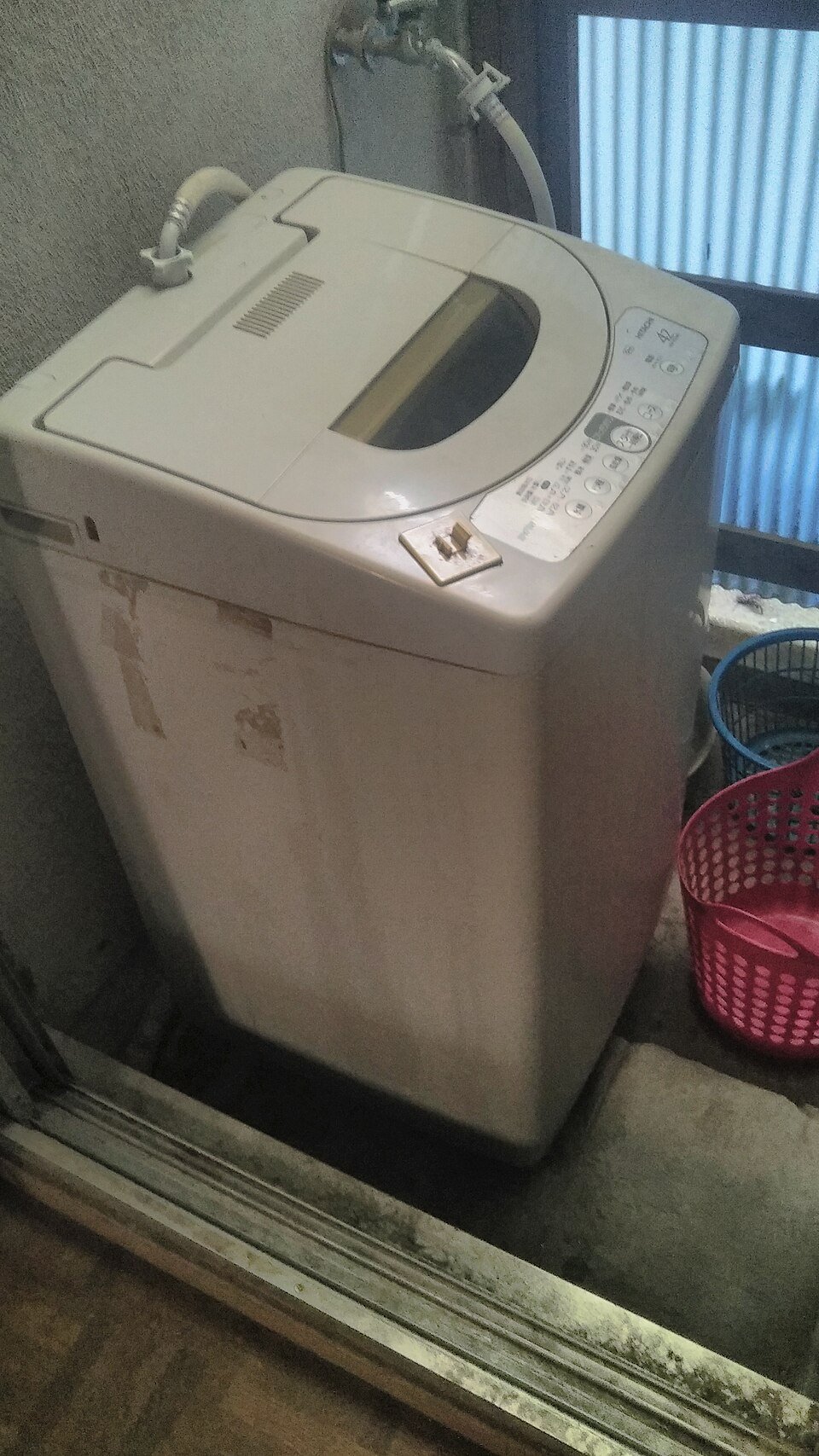
Name the maintenance task before searching
A manual for a nearly identical appliance can look reassuring while giving the wrong filter, access route or preparation step. Begin with two separate questions: which appliance is this, and does its user manual permit the intended task? Finding a familiar logo or a convincing product photograph answers neither question completely.
Write the proposed action in a short sentence, such as “clean the user-removable hood grease filter” or “clean the user-accessible refrigerator shelf.” Keep the appliance in its normal safe state while gathering information. This guide does not authorise opening housings, removing service panels, working on fixed wiring or performing gas work. It also does not turn a parts diagram into instructions for dismantling.
Have a place to save a clear identifier photograph, an exact transcription and the official document link. Searching and comparison can happen with the appliance closed. If the plate cannot be reached through ordinary safe user access, use the manufacturer's model-location help or contact support. Do not tilt a heavy appliance, stretch connected lines or remove a cover just to obtain a better photograph.
Copy identifiers under their actual field names
Step 1 is to locate the identity or rating plate using the brand's instructions for that appliance category. Photograph the whole accessible plate, then transcribe the relevant fields with their labels. Keep punctuation, slashes, suffixes and leading zeroes. Compare similar-looking characters against the photograph rather than guessing whether a character is a zero or the letter O.
Not every code is a serial number. The model may identify a product variant; another field may identify an individual unit, production information or a part. Preserve the names printed beside them. Do not apply an identifier convention from one brand to another. Bosch's US manual finder, for example, asks for the model number identified as E-Nr. That wording is evidence about Bosch's support system, not a universal appliance vocabulary.
An energy label is not an identity plate. It may contain a product reference alongside consumption or efficiency information, but that does not replace checking the manufacturer's designated identifier. A receipt, retailer listing or barcode on packaging can help locate a product family; none should silently override a clear plate on the appliance itself.
Choose the official support site for the appliance’s region
Step 2 follows the manufacturer's official regional route. Check the domain, country or market selector and the appliance category before entering the model. A shared language does not establish a shared market: products sold in two English-speaking regions can have different configurations, documents or permitted accessories.
The Whirlpool Manuals & Literature page offers model-based document retrieval. The Bosch UK User Manuals page likewise requests the model identifier and provides a location finder. These are official search entry points, not proof that a particular manual returned for a partial search covers your complete appliance.
Search with the complete identifier first. If the site requires a shorter entry to display candidates, compare each result with the full plate transcription afterwards. Do not discard a suffix merely because a search succeeds without it. If the appliance was imported or the correct region is unclear, ask manufacturer support to confirm coverage before maintenance. Record the unresolved point instead of selecting whichever regional PDF is easiest to download.
Compare candidates by coverage rather than appearance
Step 3 opens the actual document from the official result. Check its title, model coverage, market, document number and revision information where supplied. Confirm that it is a user or use-and-care manual. An installation sheet, sales brochure, energy declaration or exploded parts drawing may be genuine and still fail to supply the permitted user procedure you need.
| Candidate | Coverage against the recorded appliance | Decision |
|---|---|---|
| A | Official user manual; complete model and suffix included; correct region | Retain for procedure review |
| B | Official user manual; same family; different suffix; coverage not confirmed | Hold pending confirmation |
| C | Correct family and region; sales brochure only | Reject as maintenance instructions |
Three candidates yield one retained document, one unresolved document and one rejected document: 1 + 1 + 1 = 3. Two are user manuals, but only one has confirmed full coverage in the invented example. The retained share is 1 ÷ 3, approximately 33.3%; that percentage describes this example's document sorting, not a general success rate for manual searches.
A manufacturer may publish one manual covering several variants. That is acceptable when coverage of your complete identifier is explicit or confirmed by official support. A picture resembling your controls is a useful cross-check, but appearance alone cannot settle an omitted suffix.
Check part compatibility and user permission independently
Step 4 finds the exact task in the retained manual and reads its prerequisites, access description, warnings, part identification and reassembly requirements. Confirm which actions are expressly assigned to the user. A part being sold online does not show that the owner is meant to install it. A service part can be compatible while its fitting remains professional work.
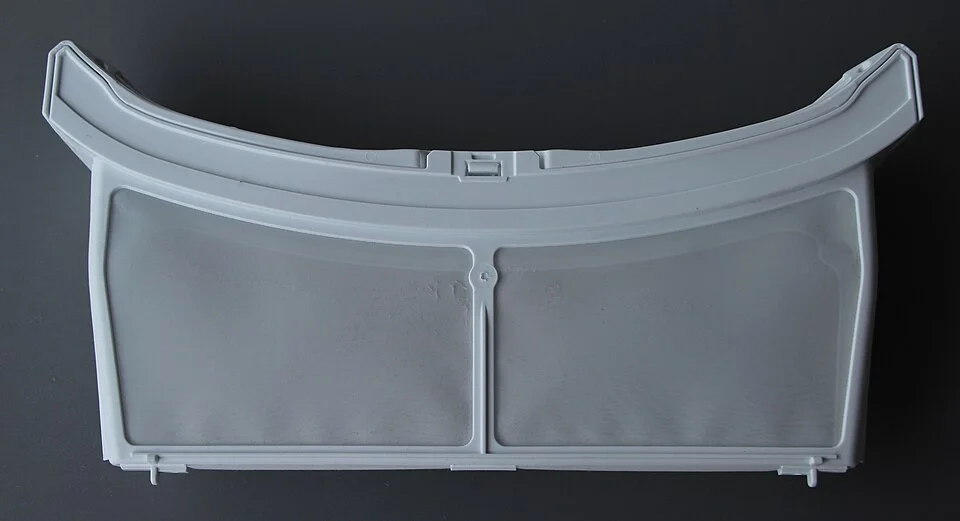
The frame shape, two mesh sections and central catch are visible construction details that can be compared with a confirmed part reference. They do not establish compatibility or user permission by themselves. Retain the exact appliance model and official part information, then consult the documented task before removal, washing or replacement.
Photo & usage
Photograph: Frank C. Müller, Frankfurt am Main · CC BY-SA 4.0 · Source. Display copies resized and encoded as WebP; no instructional details were fabricated or removed.
Where a user-replaceable consumable is specified, compare the approved part reference with the official compatibility information for the full model. Preserve any substitutions or superseding references confirmed by the manufacturer. Do not assume similar shape, matching colour or a retailer's broad “fits most” wording establishes compatibility. If the manual and current official parts listing appear inconsistent, stop and request clarification.
For an illustrative hood-parts check, keep the metal grease-filter reference separate from the reference for any carbon accessory. A compatible metal panel does not confirm the identity or care route of the component behind it. Copy each official reference onto its own line, then compare it with the installed part’s accessible markings where the manual permits that access. If markings are absent, ask the manufacturer to resolve the mismatch using the full appliance identifier. A photograph of mesh can help describe shape and condition, but cannot supply an unreadable part number or prove that an apparently similar accessory belongs to your variant.
Read the whole permitted sequence before touching parts
Step 5 checks whether you can meet every preparation requirement. Follow the exact manual's instructions for cooling, disconnection, emptying or other conditions before permitted maintenance. Do not universalise a waiting time or cleaning agent from another model. If the required isolation or access cannot be achieved safely within user scope, arrange appropriate help rather than improvising.
Read through to the finish. A procedure may require a particular orientation, dry components or a closure check before normal use. Knowing that in advance prevents starting a task you cannot complete with the available approved parts. Keep food protection separate where an appliance shutdown would affect stored food; do not begin and then decide where the food should go.
Stop if the pictured user access does not match what you see, a retaining feature will not move as instructed, or a service cover stands between you and the component. Do not treat extra force or a different screwdriver as the next logical step. Recheck the model, variant and document before deciding whether manufacturer support or qualified service is needed.
Save a record that supports the next maintenance decision
Step 6 keeps the identification evidence with the maintenance record. Save the official URL, document title, document number or revision where available, relevant section and approved part reference. Note the date you confirmed the match and any written manufacturer clarification. Keep serial or personal registration information private when sharing a question publicly.
Label the decision precisely: matched and user procedure permitted, identity unresolved, region unresolved, part compatibility unresolved, or task reserved for service. An unresolved result is a useful stopping point. It prevents a future reader from assuming that a downloaded file was already checked. If no maintenance has been performed, record only the document match rather than implying the appliance was serviced.
Completion means the full appliance identity and market are linked to an official user document, the proposed task falls within its permissions, and any required consumable is confirmed separately. Only then follow that exact procedure. Keep the original document available rather than relying on a shortened checklist that may omit a condition essential to your variant.
THE REFERENCE FILE
Sources & scope
Documentation reviewed 1 Nov 2026. Examples are illustrative; this article does not claim hands-on product testing. Follow the instructions for your actual material, model and location.


.jpg)